

5 Things I Wish Someone Had Told Me When I First Got My Cricut
If you’ve just got a Cricut and you’re feeling equal parts excited and slightly overwhelmed, I want you to know this straight away: you are not alone.
I’m Sarah, and I’ve been using my Cricut for over 8 years. In that time, I’ve made all the mistakes, wasted plenty of materials, and learned things the hard way so you don’t have to. Today, I’m sharing five things I really wish someone had told me when I first unboxed my Cricut, so you can skip the frustration and enjoy the creative process a whole lot sooner.
Before we dive in, if you haven’t already:
Unbox your machine
Plug it in
Download Cricut Design Space on your laptop or the app on your phone or tablet
Create an account and follow the setup steps
Cricut will walk you through connecting your machine and doing a test project . Don’t skip this step, you should definitely do that before you carry on.
Now, let’s get into it.
You can continue reading below, or take a look at my video here:
The content below contains affiliate links and we may earn a commission if you shop through them, however this won't cost you anything, it just helps us to keep the site running for free. For more information on affiliate links, see the disclosure here.’
1️⃣ Cricut is not Plug-and-Play (and that’s okay)
The first thing you need to know is this: Cricut has a learning curve.
You can’t just plug it in and instantly know what you’re doing BUT that does not mean you’re bad at it, and it definitely doesn’t mean you should avoid using it.
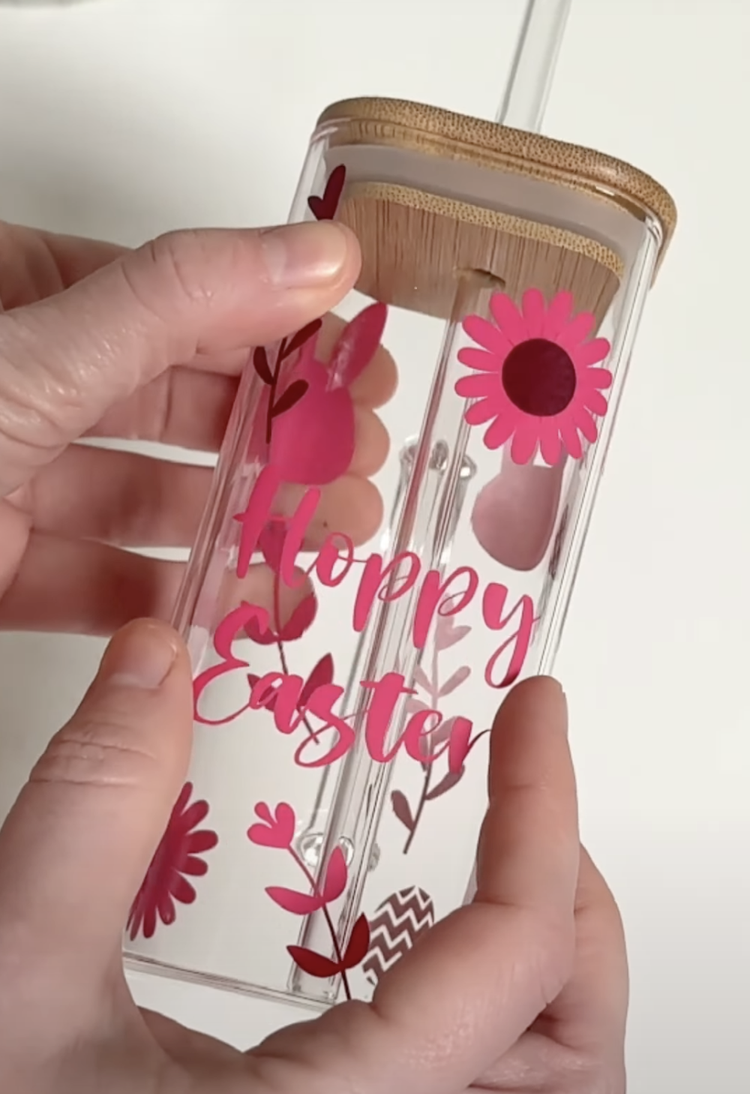
My biggest recommendation is to start with one simple project.
Look for inspiration on YouTube, Instagram, TikTok, or Pinterest and choose one thing you’d like to make.
Single-colour vinyl decals or iron-on vinyl projects are perfect beginner options.
Learn how to make that one project from start to finish before moving on. When you do it this way, you’ll naturally learn:
What each function does
How to size designs correctly
How to choose the right materials for each project
If you’re really struggling with where to begin, I do have a members-only hub on my website called Cutting Machine Confident, which is designed specifically for Cricut beginners. It includes:
Short, easy-to-follow tutorials
Cheat sheets
Free design files
Links to trusted suppliers
Whatever route you take, master the basics first. Jumping straight into complicated projects with lots of steps is the quickest way to overwhelm yourself.
2️⃣ Materials Matter More Than You Think
This one surprises a lot of beginners, but I personally don’t recommend Cricut-branded materials for everyday projects (with the exception of a few specialty items).
In my experience, Cricut materials are:
Expensive
Not always the easiest to work with
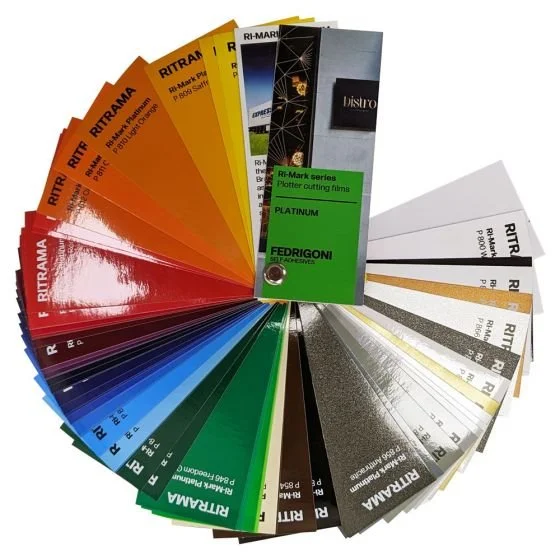
For adhesive vinyl, iron-on vinyl (HTV), sticker paper, and card, I buy from other brands instead. My favourites include:
Oracal
Teckwrap
Siser
Ritrama
You can find these from various online craft suppliers. Inside Cutting Machine Confident, I also share supplier lists for the UK, US, Canada, South Africa, Australia, New Zealand, and Germany.
When it comes to tools, Cricut tools are perfectly fine — especially if they came with your machine. But if you’re buying extras, non-branded versions work just as well and are usually much cheaper.
My must-have tools include:
A good weeding tool
Sharp scissors
A squeegee
Tool kits like these are great because they include everything you need (and a few extras too).
3️⃣ You Don’t Need Cricut Access
Cricut will really try to sell you Cricut Access. When you first get your machine, you’ll usually get a free one-month trial, which is absolutely worth trying.
That said… once that month is over, you do not have to keep paying for it.
I personally don’t. Instead, I upload my own designs and use fonts already installed on my computer. This gives me complete freedom to use exactly what I want.
I get most of my fonts and files from Creative Fabrica, which you can usually access for around $47 per year. There are also tons of free fonts and SVGs available online if you don’t want to spend anything.
Just keep this in mind: if you plan to sell what you make, you’ll need designs and fonts that come with a commercial license..
4️⃣ Test Cuts Will Save Your Sanity
If I had to choose just one thing I wish I’d known at the start, it would be this:
👉 Always do a test cut when using a new material.
I wasted so much vinyl in the beginning, especially specialty materials like rose gold vinyl or thick cardstock, because different materials often need different pressure settings.
Here’s how to test cut:
Add a small shape to your canvas
Cut it from the corner of your material
Adjust the settings until it weeds perfectly
Then cut your full design
Once you find the right setting, write it down so you don’t have to test cut every single time.
Trust me, this one tip alone will save you money and frustration.
5️⃣ Your Cricut Can Do So Much More Than You Think
Once you start experimenting, watching tutorials, and looking for inspiration, you’ll realise just how powerful your machine really is, no matter which Cricut model you own.
I recently shared a series of short videos on Tiktok with loads of project ideas that go far beyond vinyl tumblers and iron-on T-shirts, so make sure you check those out if you need inspiration:
And if you’re stuck for other ideas:
Think about upcoming holidays
Search Pinterest, TikTok, or Instagram
Look for Cricut blanks on Amazon or in craft stores
Even after 8 years, I’m still learning new things to make with my Cricut but isn’t that honestly the magic of crafting?
Final Thoughts
If you were feeling overwhelmed by your new machine, I really hope this post has helped you feel a little more confident. 💛
If it did, you can subscribe to my Youtube channel for more beginner Cricut tips, project ideas, and mistakes to avoid.
And tell me in the comments:
What project are you most excited to make with your Cricut?
Until next time…happy crafting! ✂️✨